
Why Freighter Wallet Is the Essential Tool for Navigating the Stellar Ecosystem
The Stellar network has grown into one of the most practical blockchain ecosystems for fast, low-cost payments and asset tokenization. As adoption increases, so does the need for a secure and user-friendly way to manage digital assets. That’s where the freighter wallet comes in. Designed specifically for Stellar, this non-custodial wallet gives users full control over their funds while offering seamless access to a growing universe of Stellar apps. Whether you’re sending USDC, holding XLM, or exploring decentralized finance tools, Freighter provides a smooth and secure experience.
In this article, we’ll dive deep into what makes Freighter stand out, how it works, and why it has become the go-to wallet for both newcomers and seasoned Stellar enthusiasts. We’ll also cover key features, security practices, and tips for getting the most out of your Stellar experience.
What Is a Freighter Wallet and How Does It Work?
Freighter is a browser extension and mobile wallet built exclusively for the Stellar network. Unlike custodial wallets where a third party holds your private keys, Freighter is non-custodial, meaning you retain complete ownership of your keys and assets. This aligns with the core philosophy of blockchain: trustless, peer-to-peer transactions without intermediaries.
When you create a Freighter wallet, you generate a unique public address (for receiving funds) and a secret seed phrase (your private key). This seed phrase is the only way to recover your wallet if you lose access, so it’s crucial to store it securely offline. Once set up, you can send and receive any Stellar-based asset, including XLM, USDC, and custom tokens issued on the network.
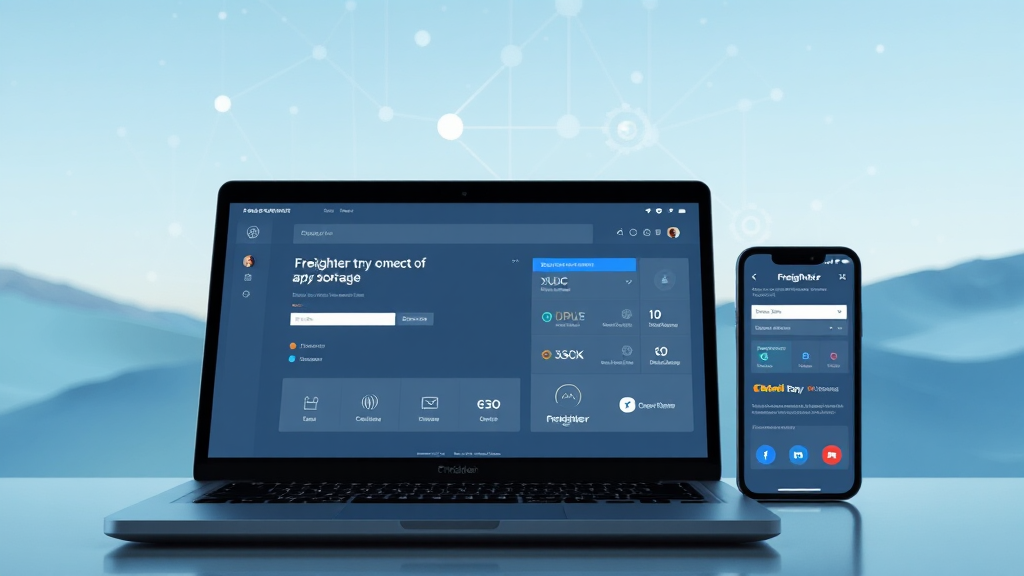
Freighter is available as a browser extension for Chrome, Firefox, and Brave, as well as a mobile app for iOS and Android. The interface is intuitive, making it easy for even first-time users to navigate. But beyond basic transactions, Freighter also acts as a gateway to Stellar apps, allowing you to connect your wallet to decentralized applications (dApps) directly from your browser.
The Role of Freighter in the Stellar App Ecosystem
One of the most exciting aspects of Stellar is its vibrant ecosystem of applications. From payment platforms to tokenization services and lending protocols, there are countless ways to put your digital assets to work. However, interacting with these apps requires a compatible wallet. The freighter wallet app bridges that gap by offering built-in support for Stellar apps.
With Freighter, you can browse and connect to Stellar apps directly from the wallet’s interface. This means you don’t need to manually copy and paste your public key or sign transactions through a separate tool. Instead, Freighter handles the connection securely, allowing you to authorize transactions with just a few clicks. This streamlined experience is a major reason why developers and users alike prefer Freighter over other Stellar wallets.
For developers, Freighter provides a robust API that simplifies the process of integrating wallet functionality into their dApps. This has led to a growing list of Stellar apps that support Freighter as a login and payment method. Whether you’re using a decentralized exchange, a non-fungible token (NFT) marketplace, or a remittance service, chances are Freighter is supported.
Key Features of Freighter Wallet
Freighter is packed with features that make managing Stellar assets a breeze. Here are some of the most notable:
- Non-Custodial Security: Your private keys never leave your device. Transactions are signed locally, ensuring that your funds are safe from exchange hacks or server breaches.
- Multi-Asset Support: Beyond XLM, Freighter supports all Stellar-based tokens, including popular stablecoins like USDC and EURT.
- Built-In DApp Browser: The browser extension and mobile app include a built-in browser for Stellar apps, making it easy to discover and use new services.
- Hardware Wallet Integration: For added security, Freighter can connect to Ledger hardware wallets, allowing you to keep your keys offline while still using the convenience of a software wallet.
- Transaction History: View your past transactions with full details, including fees, timestamps, and memo fields.
- Custom Network Support: Developers can connect to test networks like Testnet or Futurenet, which is invaluable for testing new applications without risking real funds.
- User-Friendly Interface: Clean and intuitive design that works for both beginners and advanced users.
These features combine to create a wallet that is not only secure but also highly functional for everyday use.
How to Set Up Your Freighter Wallet
Getting started with Freighter is straightforward. Here’s a step-by-step guide:
- Install the Extension or App: Visit the official Freighter website or your browser’s extension store to download the wallet. For mobile, download the app from the App Store or Google Play.
- Create a New Wallet: Open Freighter and select “Create New Wallet.” You’ll be prompted to set a password, which encrypts your local data.
- Back Up Your Seed Phrase: Write down the 12 or 24-word seed phrase and store it in a safe place. Do not share it with anyone, and never store it digitally on a connected device.
- Confirm Your Backup: Freighter will ask you to confirm a few words from your seed phrase to ensure you’ve saved it correctly.
- Start Using Your Wallet: Once setup is complete, you’ll see your public address, which you can share to receive funds. You can also now connect to Stellar apps.
If you already have a Stellar account, you can import it using your existing secret seed phrase. Freighter also supports importing from other Stellar wallets, making migration easy.
Security Best Practices for Your Freighter Wallet
While Freighter is inherently secure, you must follow good practices to keep your assets safe:
- Never Share Your Seed Phrase: Your seed phrase is the master key to your wallet. Anyone with access to it can control your funds.
- Use a Hardware Wallet: For large amounts, consider connecting a Ledger device. This adds an extra layer of security by requiring physical confirmation for transactions.
- Beware of Phishing Sites: Always double-check the URL before connecting your wallet. Scammers often create fake versions of popular dApps.
- Keep Your Software Updated: Freighter regularly releases updates that include security patches and new features. Enable automatic updates whenever possible.
- Use a Strong Password: Your Freighter password protects your local wallet data. Use a unique, complex password and avoid reusing it elsewhere.
Freighter vs. Other Stellar Wallets
There are several Stellar wallets available, but Freighter stands out for several reasons. Unlike web-based wallets like StellarTerm or Lobstr, Freighter offers a more integrated experience with dApps. It also provides better security by keeping your keys in the browser extension rather than on a server.
Compared to hardware wallets alone, Freighter offers more convenience and accessibility, especially for daily transactions. And while other browser wallets exist, Freighter is the only one that is officially developed by the Stellar Development Foundation, giving it a high level of trust within the community.
Frequently Asked Questions
Is Freighter wallet safe?
Yes, Freighter is considered safe. It is non-custodial, meaning you hold your private keys. The wallet also supports hardware wallet integration for enhanced security. Always follow best practices like keeping your seed phrase offline and being cautious of phishing attempts.
Can I use Freighter with any Stellar app?
Most Stellar apps that require wallet connectivity support Freighter. The wallet has a built-in app browser that lists many compatible applications. If an app does not mention Freighter, check its documentation for compatibility.
What is the difference between Freighter and other Stellar wallets?
Freighter offers a seamless dApp connection experience and is developed directly by the Stellar Development Foundation. It provides a balance of security and convenience, with features like hardware wallet support and a built-in app browser that many other wallets lack.
How do I recover my Freighter wallet?
If you lose access to your wallet, you can recover it using your secret seed phrase. During setup, Freighter will guide you through the recovery process. It is crucial to keep your seed phrase safe and never share it.
Can I store USDC in Freighter?
Yes, Freighter supports all Stellar-based assets, including USDC. You can send, receive, and hold USDC directly in your wallet.
Final Thoughts
The freighter wallet is more than just a place to store XLM; it’s your gateway to the entire Stellar ecosystem. With its non-custodial design, user-friendly interface, and seamless dApp integration, it’s the perfect choice for anyone looking to participate in the future of digital finance. Whether you’re a seasoned crypto user or just starting, Freighter makes managing Stellar assets easy and secure.
If you haven’t already, give Freighter a try. You’ll quickly see why it’s the preferred wallet for Stellar enthusiasts around the world.
Readers who are interested in this topic will benefit from exploring multiple perspectives and understanding the nuanced approaches that industry leaders recommend. Taking time to research thoroughly ensures better outcomes and more informed decision-making.
Those looking to gain deeper knowledge in this area should consider following expert analysis, staying updated with the latest developments, and engaging with professional communities where these topics are discussed in detail.
A comprehensive understanding of this subject requires looking at both theoretical foundations and practical applications. By combining study with hands-on experience, learners can develop a well-rounded perspective that serves them well in real-world scenarios.
As the landscape continues to shift and evolve, staying informed about emerging trends and best practices becomes increasingly valuable. This ensures you remain competitive and capable of adapting to new challenges as they arise.